|
| Field | Type & Length |
Description |
|---|---|---|
| Student | N9 | Enter the student number. Must be a valid student number in {SREGB-1} |
| Date | DD-MON-YYYY | Select the date from the calender. |
| Task / Test | A4 | Select the task from the available LOV. These tests are defined in Task Definitions {SCODE4-7} under the Special Ed option. Each task definition contains certain elements. These elements are defined using the Task Elements Screen {SCODE4-8}. On commit the elements linked to the task will be copied to the student's test detail. The out of mark will be copied from the definition set. |
|
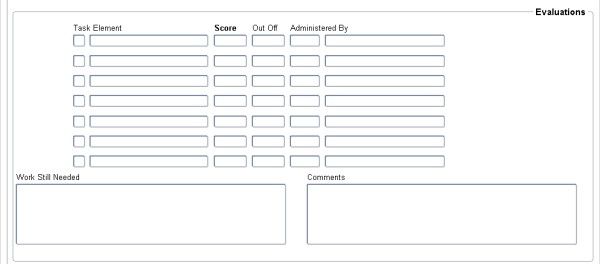
On commit of data in block 1, fields in block 2 will be populated.
| Field | Type & Length |
Description |
|---|---|---|
| Task | Task will be displayed. Default from {SCODE4-7}. | |
| Element | Element will be displayed. Default from {SCODE4-8}. If no elements are displayed then the setup in {SCODE4-8} might not be correct. User will receive an error message. | |
| Score | Enter score value for the tasks elements. The score value cannot be greater than the out of value. | |
| Out Off | The Out Off score will be populated. | |
| Administered By | Enter the administered field. LOV is available and default from {SCODE4-6} |
|
| Processing Rules |
|
|---|---|
| No special processing rules. |
| Date | System Version | By Whom | Job | Description |
|---|---|---|---|---|
| 18-Jan-2011 | v02.0.0.0 | Magda van der Westhuizen | t171668 | New manual. |